


Juicebox
Juicebox
Juicebox
Recruiterflow
Recruiterflow
Recruiterflow
Connect Recruiterflow with Juicebox to source, enrich, and sync candidate data
automatically without rebuilding your workflow.
Connect Recruiterflow with Juicebox to source, enrich, and sync candidate data
automatically without rebuilding your workflow.
Connect Recruiterflow with Juicebox to source, enrich, and sync candidate data
automatically without rebuilding your workflow.
2 min set up
soc2 compliant
read/write sync
[01] USE CASES
Set up in minutes. Save hours every week.
Set up in minutes. Save hours every week.

Exporting shortlisted profiles

Anne Serrano

Marco Ruiz

Priya Mehta
Contact number
+60 12-345-6789
Role
Product Marketing Manager
Email address
priya.mehta@juicebox.ai


connected workflows
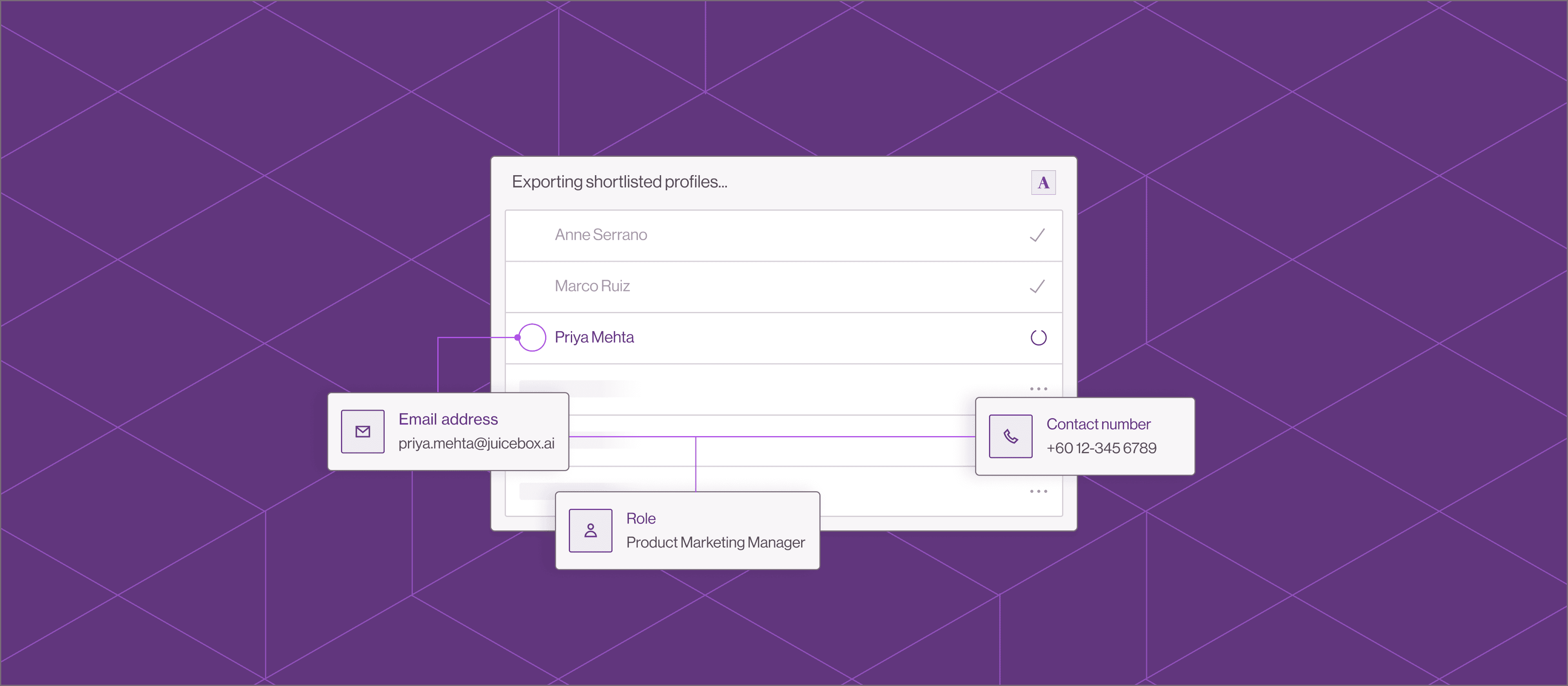
Export into Recruiterflow
Export talent profiles from Juicebox into Recruiterflow along with detailed work experience and resumes.
Project-based SEARCH
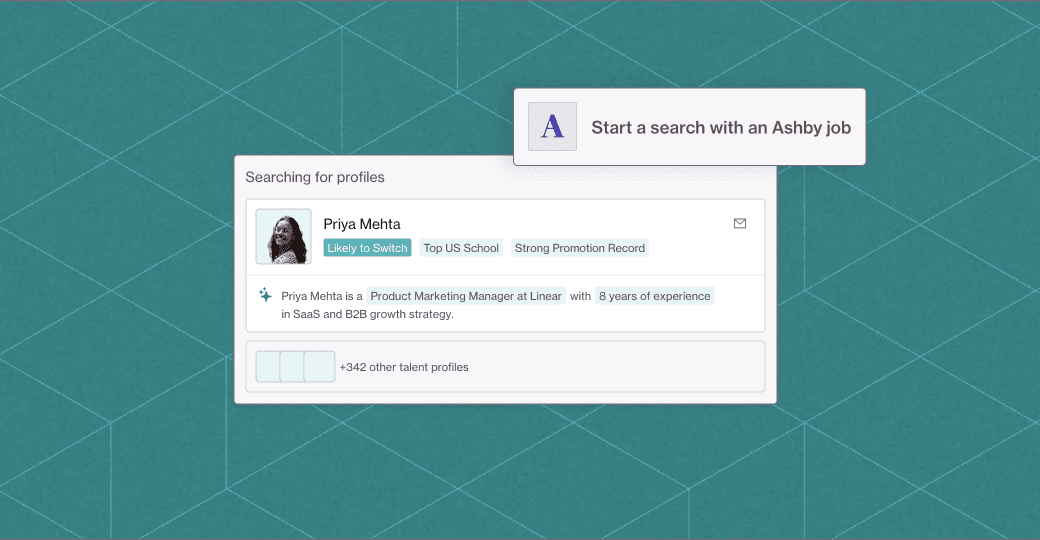
Start a search with a job
Import live roles from Ashby and instantly start sourcing using job descriptions and extracted skills.
Smart deduplication
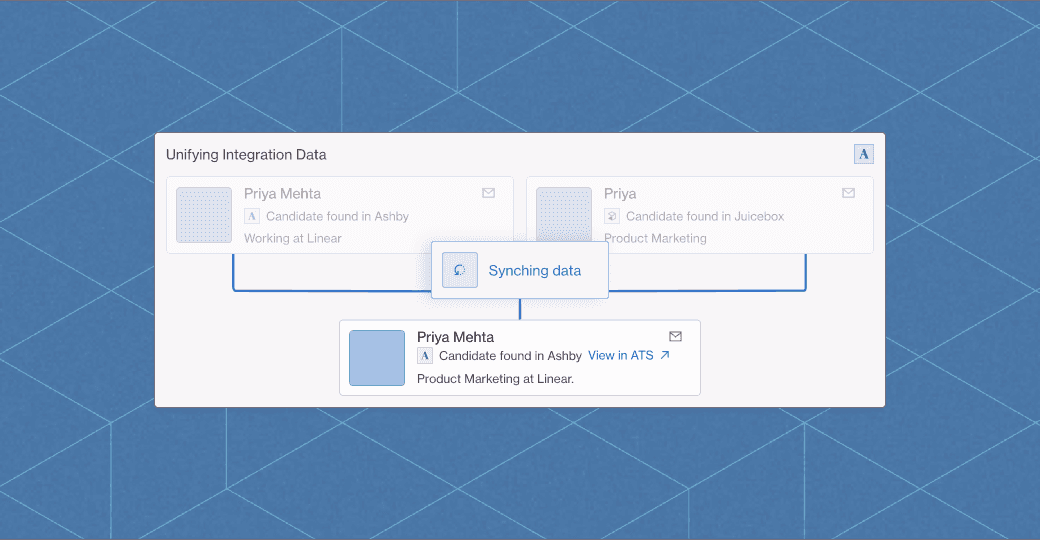
Flag duplicate profiles
Juicebox flags existing profiles and syncs them automatically to keep records clean and accurate.
connected workflows
Export into Recruiterflow
Export talent profiles from Juicebox into Recruiterflow along with detailed work experience and resumes.
Project-based SEARCH
Start a search with a job
Import live roles from Ashby and instantly start sourcing using job descriptions and extracted skills.
Smart deduplication
Flag duplicate profiles
Juicebox flags existing profiles and syncs them automatically to keep records clean and accurate.
connected workflows
Export into Recruiterflow
Export talent profiles from Juicebox into Recruiterflow along with detailed work experience and resumes.
Project-based SEARCH
Start a search with a job
Import live roles from Ashby and instantly start sourcing using job descriptions and extracted skills.
Smart deduplication
Flag duplicate profiles
Juicebox flags existing profiles and syncs them automatically to keep records clean and accurate.


I’ve already gotten several initial candidate interviews, which is super exciting. Juicebox saves me so much sourcing time, more than 30+ hours a week. It’s not just efficiency - it’s peace of mind.
Valentina Miner, Full-Cycle Recruiter @ CoinTracker
I’ve already gotten several initial candidate interviews, which is super exciting. Juicebox saves me so much sourcing time, more than 30+ hours a week. It’s not just efficiency - it’s peace of mind.
Valentina Miner, Full-Cycle Recruiter @ CoinTracker
I’ve already gotten several initial candidate interviews, which is super exciting. Juicebox saves me so much sourcing time, more than 30+ hours a week. It’s not just efficiency - it’s peace of mind.
Valentina Miner, Full-Cycle Recruiter @ CoinTracker
[02]
Why juicebox + recruiterflow
Transform your recruitment process with your existing workflows
Transform your recruitment process with your existing workflows
Transform your recruitment process with your existing workflows
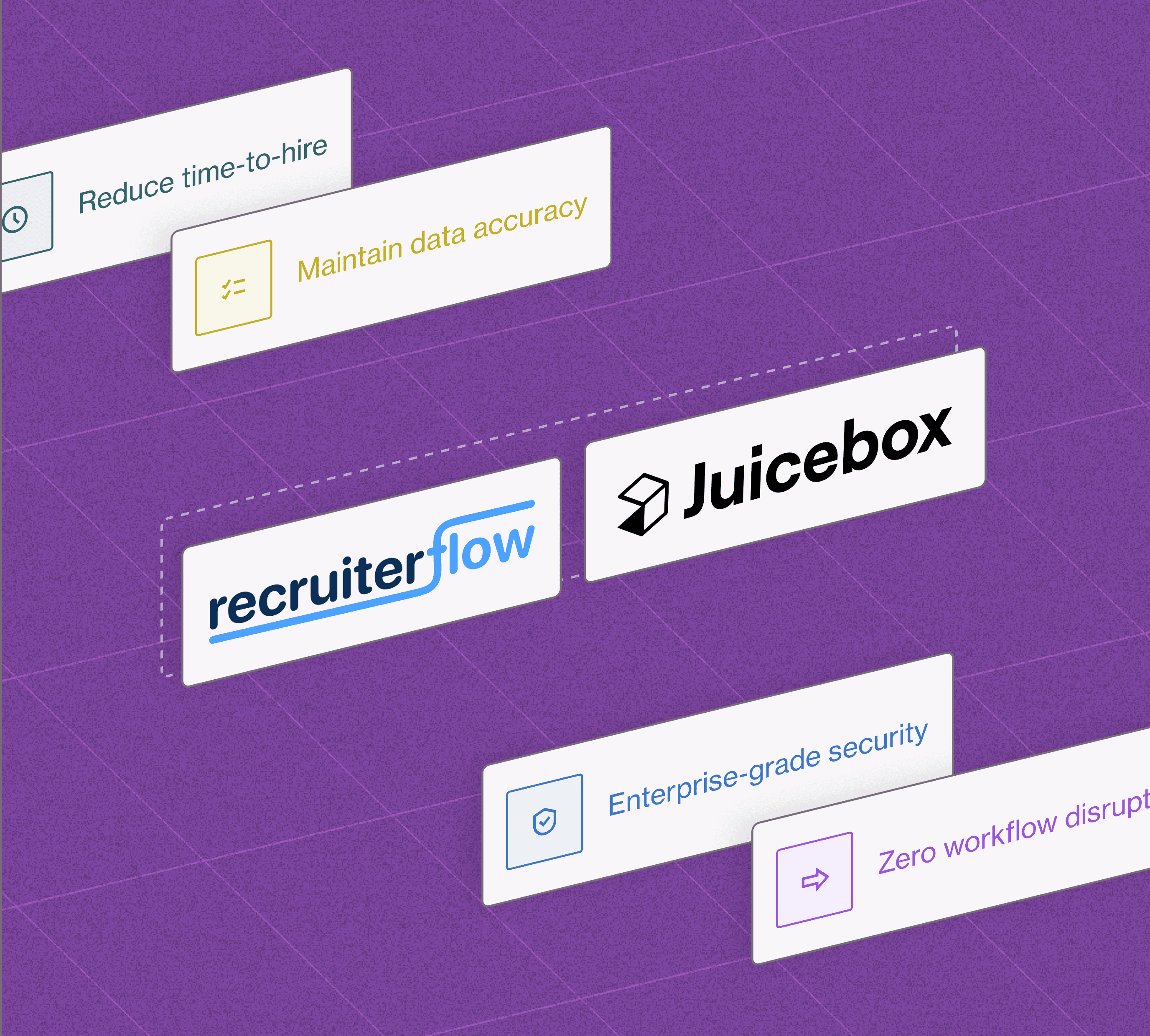
Reduce time-to-hire by 40%
AI sourcing finds qualified candidates faster than manual search
Maintain data accuracy
Smart deduplication and enrichment keeps candidate profiles clean across multiple toolstacks
Enterprise-grade security
SOC2 compliance and encrypted data sync protect sensitive information
Zero workflow disruption
Continue using Recruiterflow exactly as before, now with additional AI-native features powering your sourcing workflow


Juicebox reduces that burden - that stress of only being able to get into sourcing once a week. Now our outbound has increased to 50% of all new pipeline, which was a requirement I had.
Justin Wade, Head of Talent at Skylight Frames
Juicebox reduces that burden - that stress of only being able to get into sourcing once a week. Now our outbound has increased to 50% of all new pipeline, which was a requirement I had.
Justin Wade, Head of Talent at Skylight Frames
Juicebox reduces that burden - that stress of only being able to get into sourcing once a week. Now our outbound has increased to 50% of all new pipeline, which was a requirement I had.
Justin Wade, Head of Talent at Skylight Frames
Trusted by 25,000 teams, recruiters, and hiring managers


[04] Faq
Frequently asked questions
Frequently asked questions
Frequently asked questions
Have a question not listed here? Reach out to our sales team for guidance on how to integrate Juicebox into your recruiting workflow.
Which ATS and CRM systems does Juicebox integrate with?
You can view the full, up-to-date list of 50+ ATS and CRM integrations directly in your Juicebox account in our product docs.
How do I connect my ATS or CRM to Juicebox?
Most integrations can be set up self-serve. From the Integrations tab in PeopleGPT, select Activate Integration next to your ATS or CRM and follow the steps in the pop-up window.
Do I need engineering or admin permissions?
ATS and CRM systems require admin-level or equivalent permissions to enable two-way sync. However, it is unlikely you need engineering permissions.
How does profile deduplication work?
Once successfully integrated, Juicebox automatically flags profiles that already exist in your ATS/CRM with an icon and a profile summary, helping you avoid double-reaching out.
How do I export candidates to a specific job?
Some ATS integrations support job-level export. After selecting Export to ATS, choose the target job. If supported, future exports can use 1-Click Export.
Is my ATS/CRM data secure?
Yes. Integrations are used solely to power import, export, and deduplication features. Juicebox does not use ATS or CRM data to train AI models. More details are available in the Trust Center.
Which ATS and CRM systems does Juicebox integrate with?
You can view the full, up-to-date list of 50+ ATS and CRM integrations directly in your Juicebox account in our product docs.
How do I connect my ATS or CRM to Juicebox?
Most integrations can be set up self-serve. From the Integrations tab in PeopleGPT, select Activate Integration next to your ATS or CRM and follow the steps in the pop-up window.
Do I need engineering or admin permissions?
ATS and CRM systems require admin-level or equivalent permissions to enable two-way sync. However, it is unlikely you need engineering permissions.
How does profile deduplication work?
Once successfully integrated, Juicebox automatically flags profiles that already exist in your ATS/CRM with an icon and a profile summary, helping you avoid double-reaching out.
How do I export candidates to a specific job?
Some ATS integrations support job-level export. After selecting Export to ATS, choose the target job. If supported, future exports can use 1-Click Export.
Is my ATS/CRM data secure?
Yes. Integrations are used solely to power import, export, and deduplication features. Juicebox does not use ATS or CRM data to train AI models. More details are available in the Trust Center.
Which ATS and CRM systems does Juicebox integrate with?
You can view the full, up-to-date list of 50+ ATS and CRM integrations directly in your Juicebox account in our product docs.
How do I connect my ATS or CRM to Juicebox?
Most integrations can be set up self-serve. From the Integrations tab in PeopleGPT, select Activate Integration next to your ATS or CRM and follow the steps in the pop-up window.
Do I need engineering or admin permissions?
ATS and CRM systems require admin-level or equivalent permissions to enable two-way sync. However, it is unlikely you need engineering permissions.
How does profile deduplication work?
Once successfully integrated, Juicebox automatically flags profiles that already exist in your ATS/CRM with an icon and a profile summary, helping you avoid double-reaching out.
How do I export candidates to a specific job?
Some ATS integrations support job-level export. After selecting Export to ATS, choose the target job. If supported, future exports can use 1-Click Export.
Is my ATS/CRM data secure?
Yes. Integrations are used solely to power import, export, and deduplication features. Juicebox does not use ATS or CRM data to train AI models. More details are available in the Trust Center.
The future of recruiting starts with Juicebox
Try Juicebox for free and explore AI-powered search today.


The future of recruiting starts with Juicebox
Try Juicebox for free and explore AI-powered search today.
The future of recruiting starts with Juicebox
Try Juicebox for free and explore AI-powered search today.